

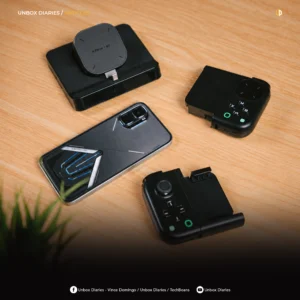
Well, it’s Infinix’s own ecosystem built with the sole purpose of giving you the best possible gaming experience.
That includes powerful performance in the form of the Infinix GT 50 Pro, an immersive audio experience with the GT Buds 5, and the GT Watch 5 Pro to keep you focused both in and out of the gaming arena.
But even with all of that, there seems to be something missing…
Perhaps the addition of gaming accessories?
From our vantage point, the Infinix GT 50 Pro never really needed one, mainly because it already came with gaming-focused features like the pressure-sensitive GT Triggers.
But given how competitive the gaming scene is today, it was only a matter of time before Infinix went back to the drawing board and came up with something that could further solidify their place in the mobile gaming scene.
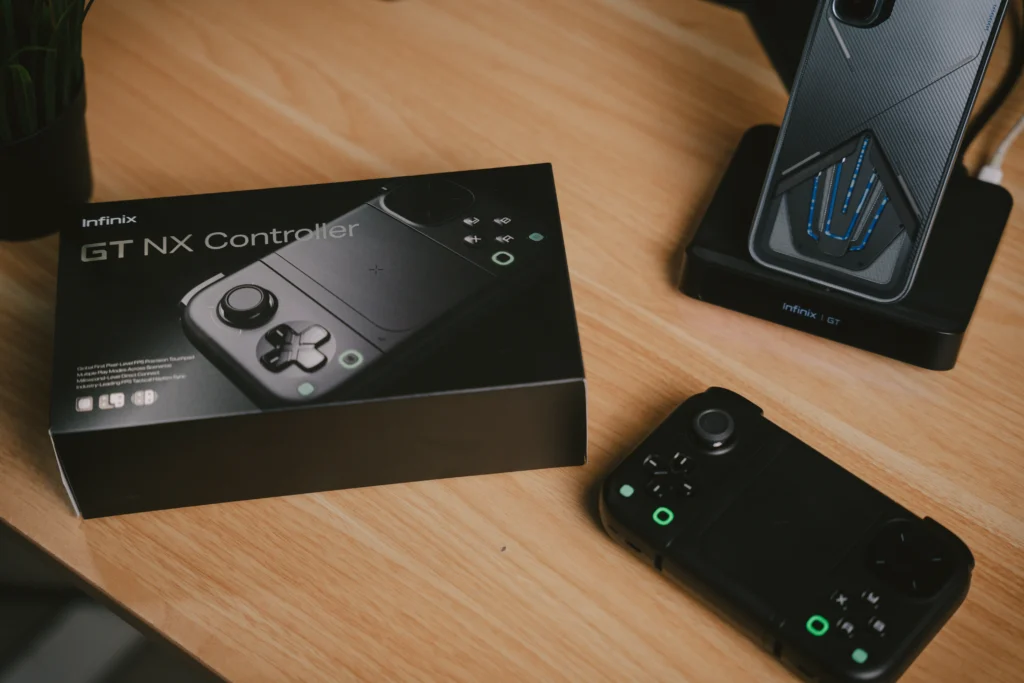
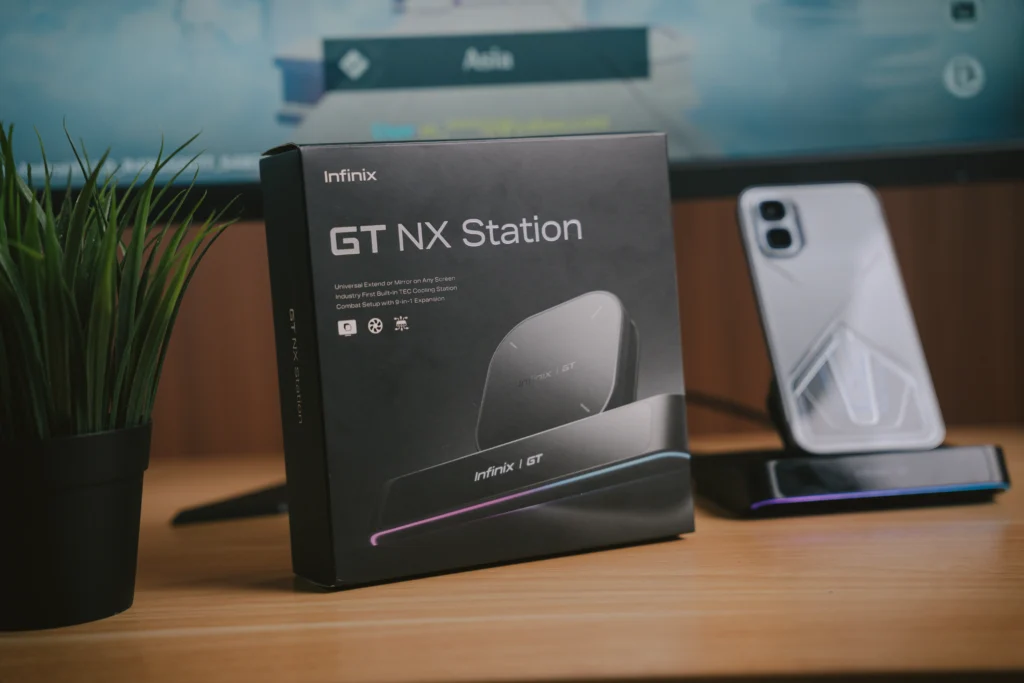
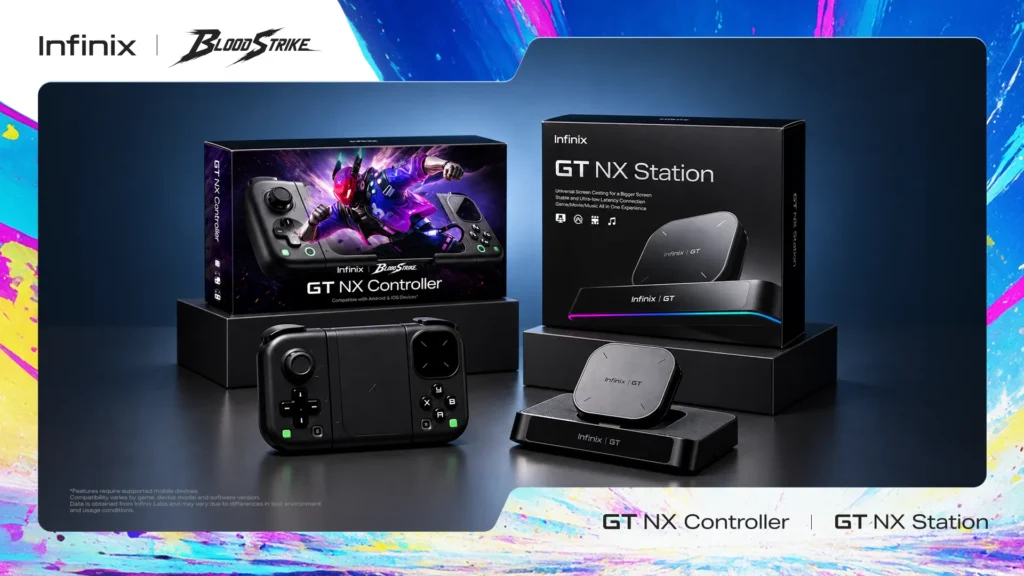
Now, four months after the launch of the Infinix GT 50 Pro, the company is back with two new additions to the family: the Infinix GT NX Controller and GT NX Station.
The only question is: will it be enough?
Unboxing
Instead of being lumped together into one package, Infinix chose to separate the two, in case you wanted only one of the new GT NX accessories.
With that in mind, let’s start with the controller.
There are actually two versions of the GT NX Controller, the standard version that we’re currently using and a Blood Strike one with the Cyberhunter Skin of Ethan plastered at the front of the box.
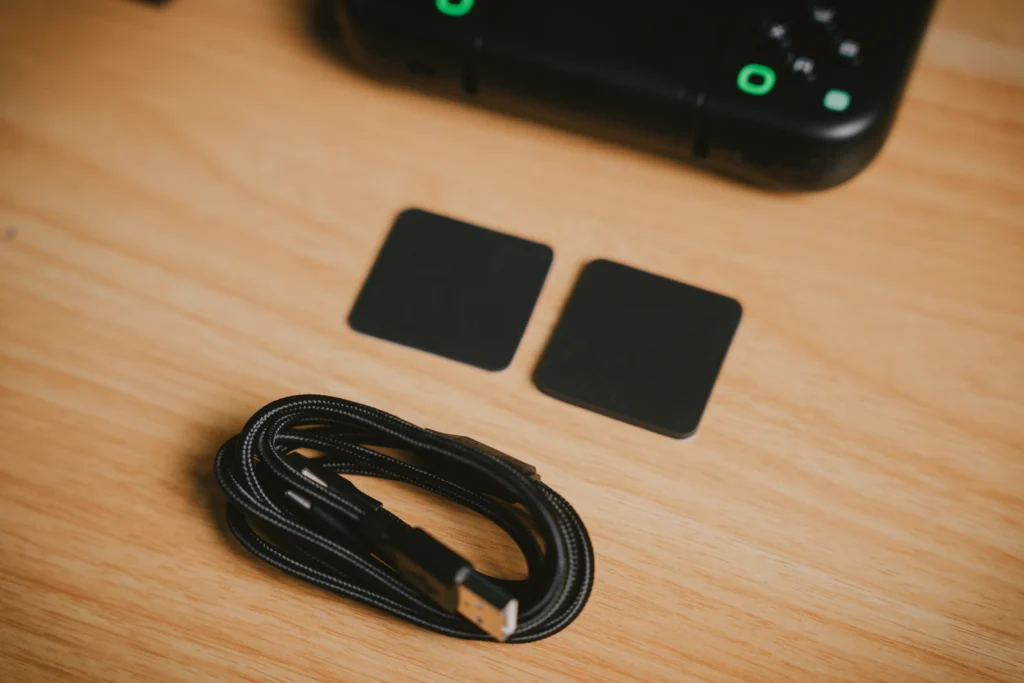
There’s really not much to the unboxing experience except for a pretty sturdy hard-fabric carrying case containing the Infinix GT NX Controller, along with a USB Type-A cable that splits into two USB Type-C connectors.
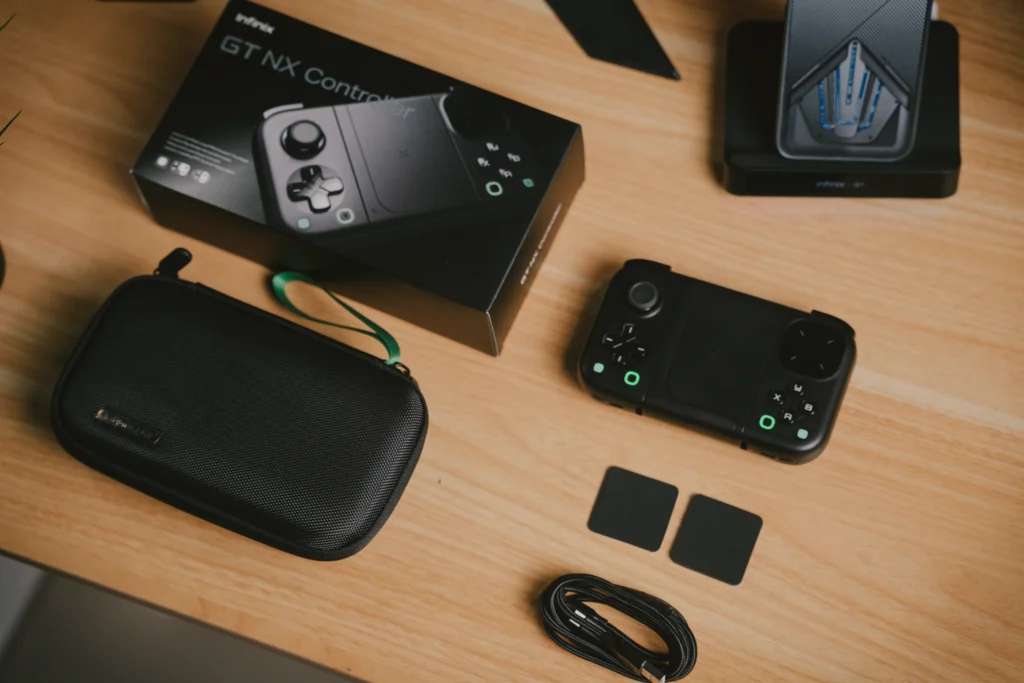
You’ll know more about why there are two connectors later on…
The Infinix GT NX Station keeps things even simpler. Inside the box, you’ll find the GT NX Station itself, as well as a fairly thick, standard-length HDMI cable.
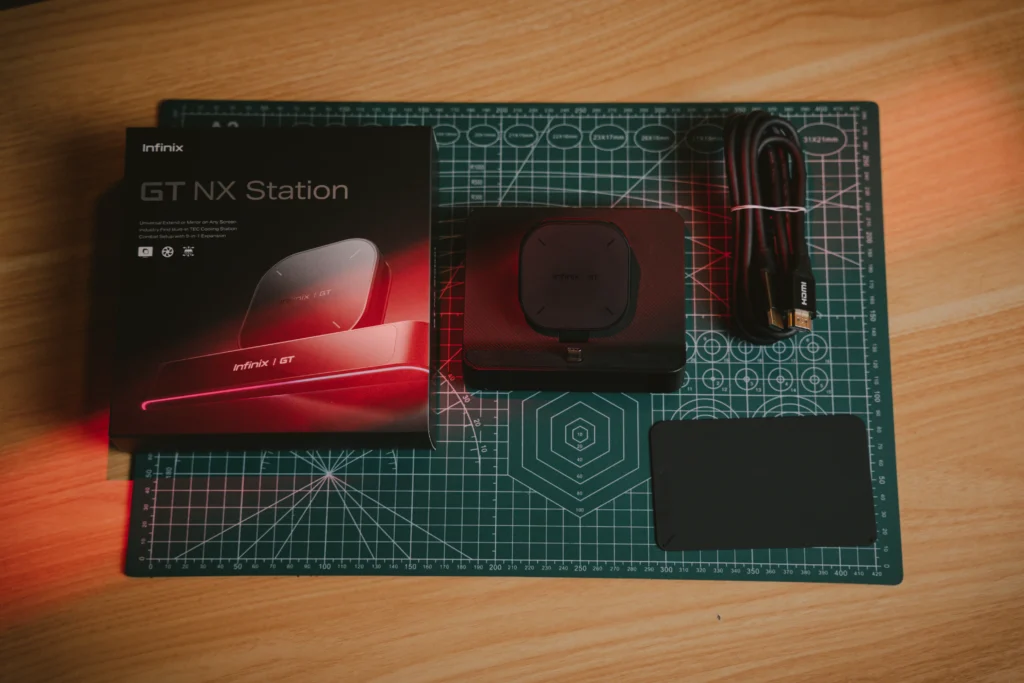
And well, that’s pretty much it.
Infinix GT NX Controller: Not just another mobile controller
If you’ve already used a controller before then you probably already have a general idea of what to expect.
There are the usual parts like the joysticks, buttons, and triggers. And, if the controller is specifically made for mobile devices, then it probably has a space in the middle where your mobile phone sits.
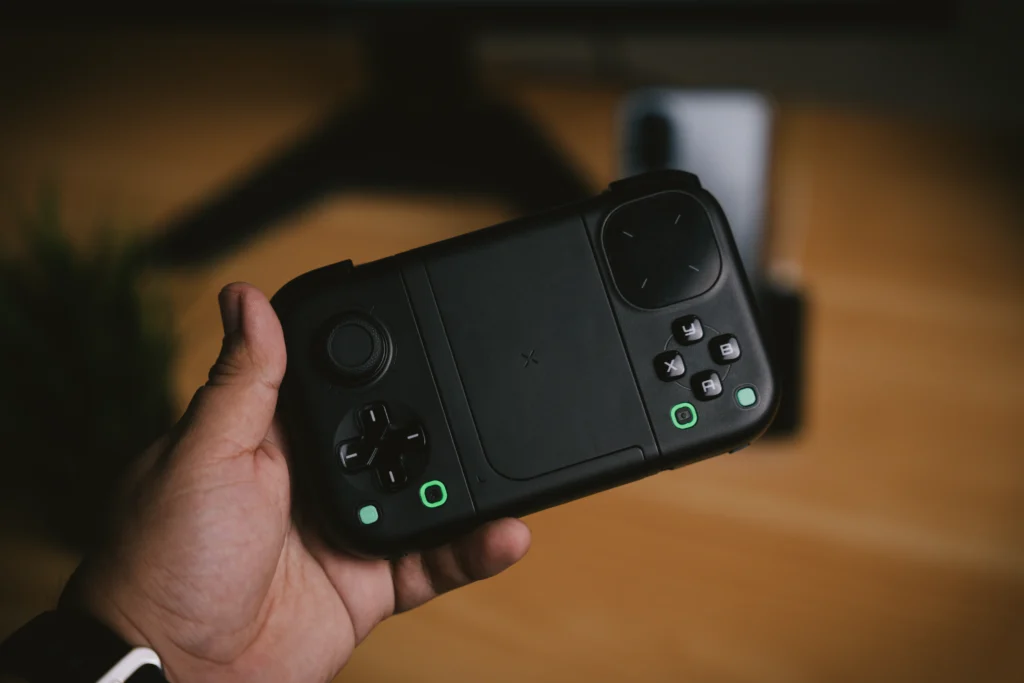
But Infinix wanted the GT NX Controller to be more than just another controller.
The first thing that caught my eye is just how modular the whole thing is. Instead of choosing between being a mobile-only controller and being your run of the mill console controller, the Infinix GT NX bridges the gap by having the ability to transform into five different setups.
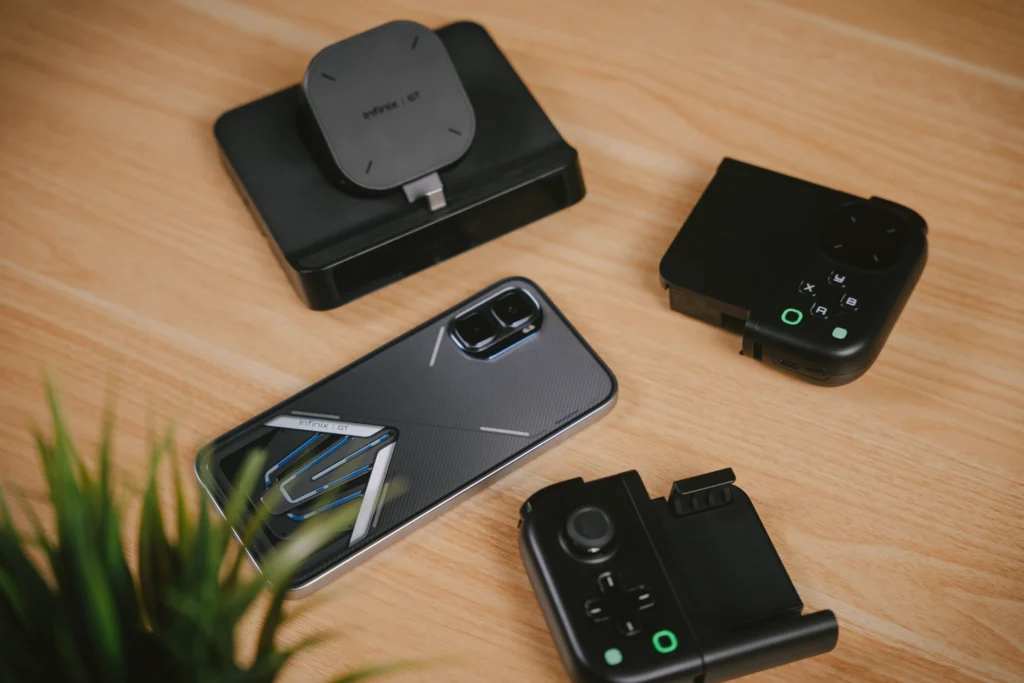
You see, both sides can slide off, much like a Nintendo Switch controller. That’s also the reason why the charging cable splits into two ends, so that you can charge each controller simultaneously.
Depending on what game you’re playing or how you want to play it, the Infinix GT NX Controller can be configured to your heart’s content.
For example, you can use just the left controller with your smartphone filling in the right side of the controls. You can also use both controllers with the phone, or if you want your phone docked, say, on the GT NX Station, then you can turn it into a full-size controller.
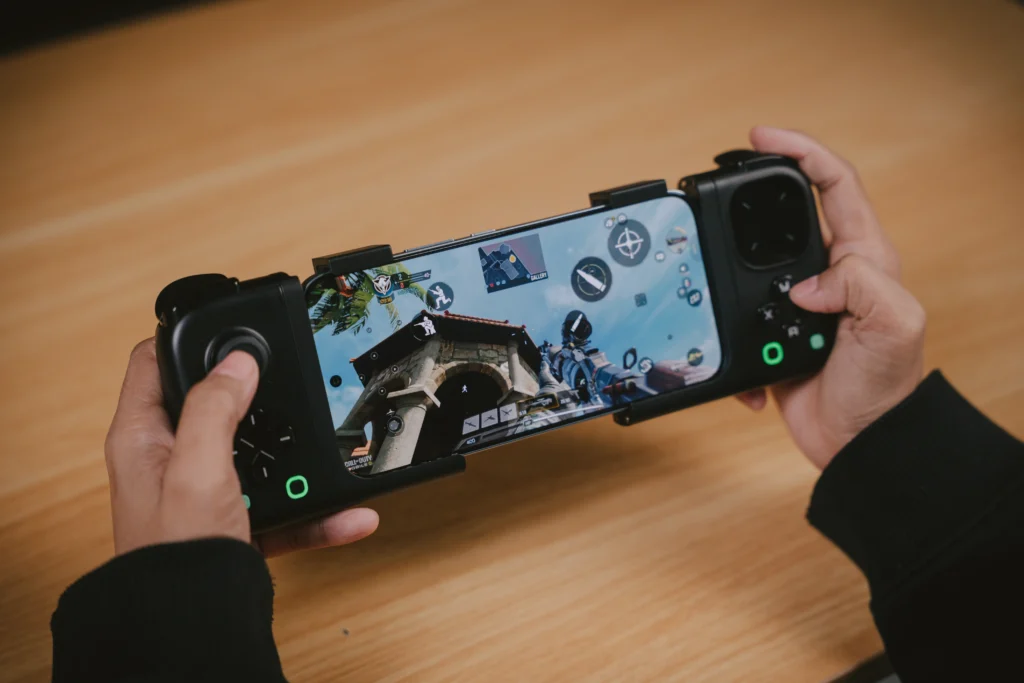

Hell, you can even split the two apart to play a two-player game with a friend. And if you’re like me that dabbles in emulation, you can use the left controller with your phone in portrait orientation, sort of like a Game Boy.

So, instead of settling for one purpose, the Infinix GT NX Controller gives you the freedom to choose how you want it, and that’s where Infinix’s Quick-Snap design comes in.
Quick-Snap makes the modularity practical
Modular hardware has been around for quite a while, but one of the things that prevents it from taking off is the process of assembling and reconfiguring all those parts.
Infinix’s Quick-Snap modular design solves all that by simplifying the process. Want to add or remove a part? Easy, just attach it, wait for the snap, and you’re ready to go.
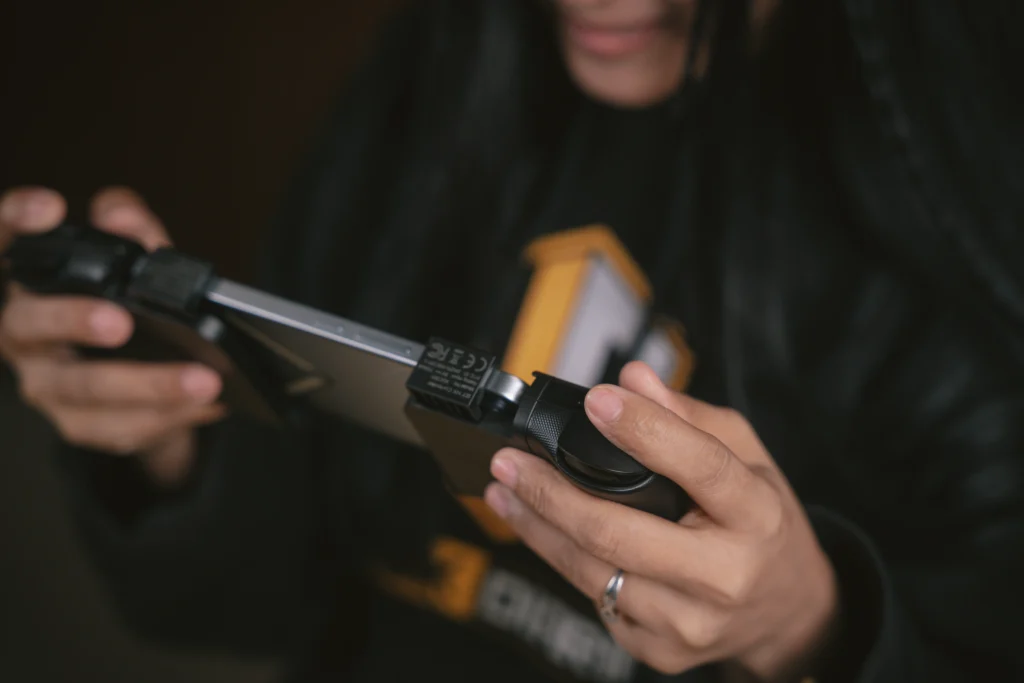
What makes the Quick-Snap modular design even better is that it works with the GT MagCharge Cooler, allowing your setup to have an active cooling system rather than relying on just the GT 50 Pro’s HydroFlow liquid cooling system.
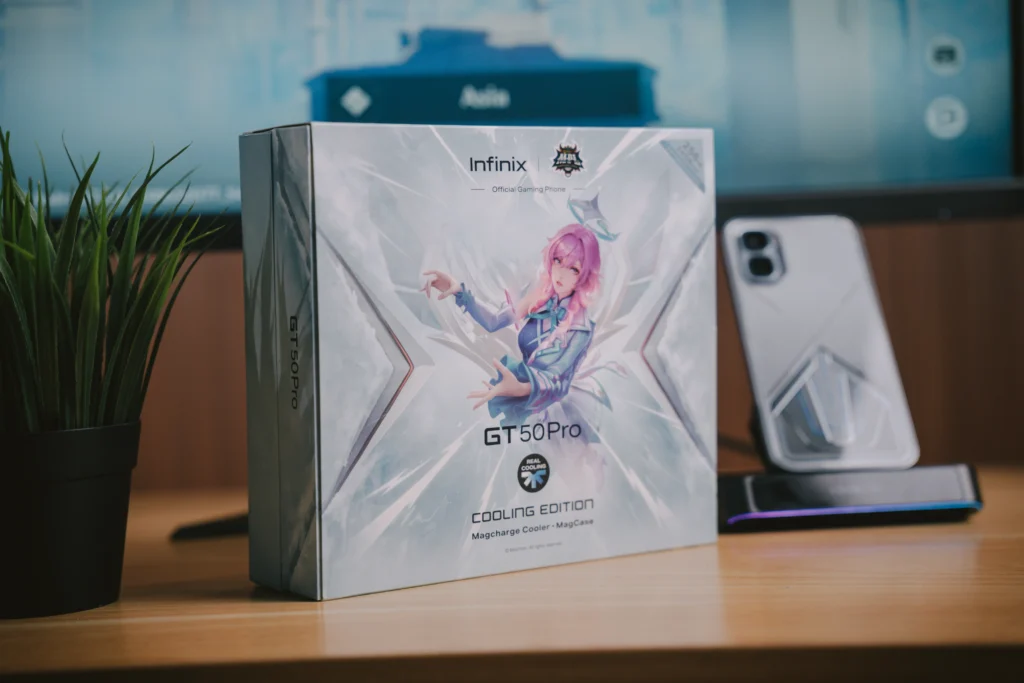
The Quick-Snap modular design is all well and good but how does all these pieces talk to each other and how much latency am I gaining from all these different pieces?
Well, to address that, Infinix uses what it calls Tri-Chip Fast Link that connects all the parts together seamlessly and what’s better is that Infinix claims that the latency is below 20ms.
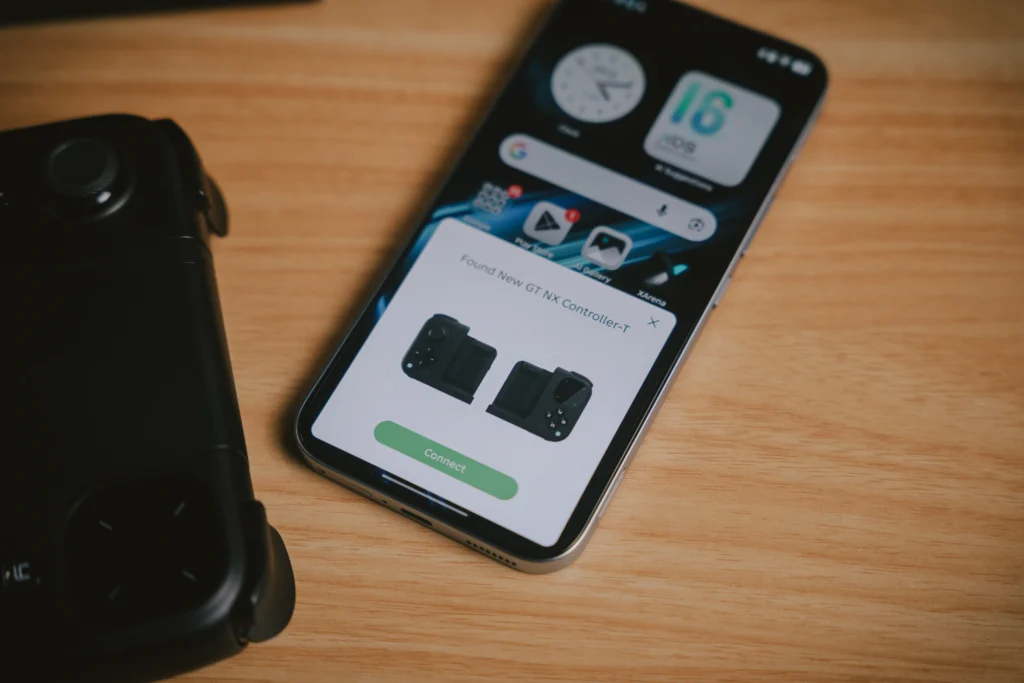
That’s especially important in games like Blood Strike where you want your response time equally translated in the game. I mean, the last thing you want is to push a button, only to wait for a few seconds before it actually does the command.
And then there’s the touchpad
Unlike most traditional controllers which usually have two joysticks, the Infinix GT NX Controller instead uses a pixel-level precision glass touchpad for the other side.
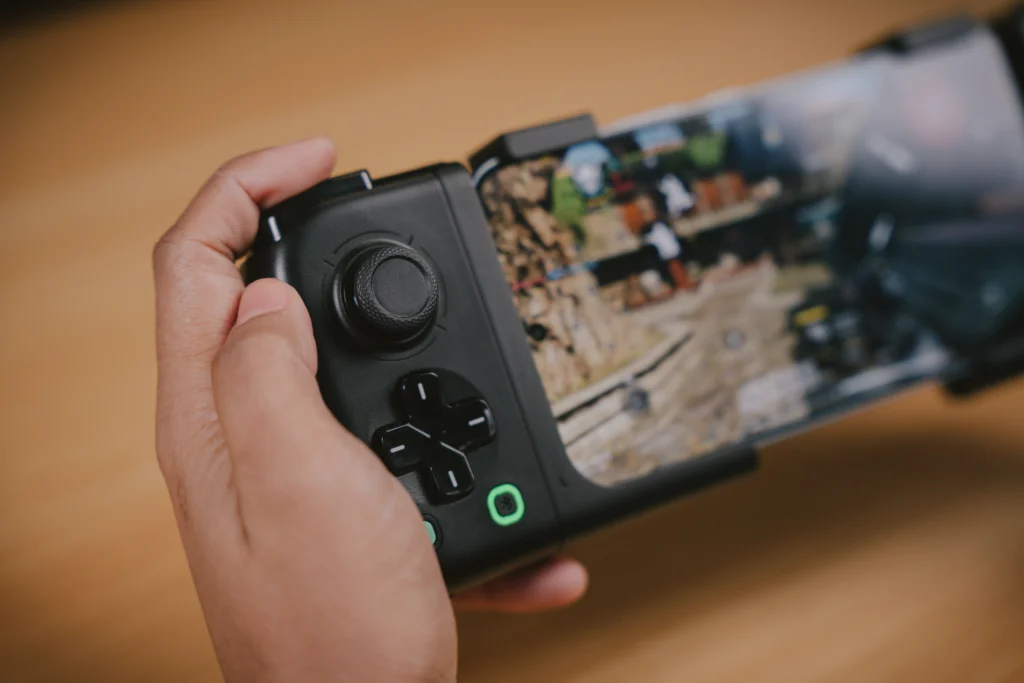
The reason being, majority of the people that will probably buy the Infinix GT NX Controller are mobile phone gamers which spend most of their time using their phones.
But that’s not the only reason, touchscreens give mobile gamers a lot of flexibility when playing games. You can swipe, tap, drag, and perform gestures with only a single finger.

Most controllers that you see on the market, with the exception of the Steam Controller which costs triple, maybe even quadruple what the Infinix GT NX goes for, forces users to adapt to a joystick rather than catering to their needs.
And that’s exactly why you see the Infinix GT NX Controller partner up with the hit FPS mobile game, Blood Strike.
As a first-person shooter, Blood Strike requires a certain kind of finesse when it comes to movement and aiming, both of which rely on quick reactions. Plus, given that it’s a mobile FPS, it’s no surprise that all the controls center around a touchscreen, with controller support coming in as second.
Built for Gamers
But not all games have native controller support the way Blood Strike does, so, what happens then?
That’s where the Infinix GT NX Controller’s modes come into play.
If the game has native support, then you can use the Native Mode that’s in the GT NX Controller. No fiddling, just plug and play and be on your way. But for the other ones that don’t, there’s Mapping Mode which maps the physical buttons to the on-screen touch controls.
For now, Native Mode works on games like Blood Strike, Asphalt Legends, and Asphalt 8. Meanwhile, Mapping Mode works on games like PUBG MOBILE, MLBB, FreeFire, and Honor of Kings.
If you’re already using an Infinix phone then you can fully take advantage of all the features that I just mentioned. However, for any other phones, including iPhones, you’ll be looking at games that support controllers natively.
Going back, in true gamer fashion, you also have RGB lighting. Although the RGB in the Infinix GT NX Controller functions more than just looking pretty. It will actually tell you what mode or what status your controller is in.
So, instead of going through a separate menu, you’ll know immediately just by glancing at the RGB lighting.
- Blue means Native Mode
- Green means Mapping Mode
- Yellow indicates Split Mode
- Red lights up when you’re low on battery or when you’re charging
Then there’s the matter of haptic feedback, which again the Infinix GT 50 Pro already has but made even better…
Infinix calls it the FPS Tactical Haptics Sync. It’s set to Medium by default, but you can set it to Weak or Strong using the XArena gaming toolbar, depending on your preference. Although take note, the haptic feedback does automatically shut off once the battery drops below 10%.
Speaking of the battery, the Infinix GT NX Controller is powered by a 730 mAh battery which Infinix claims can last up to 22 hours of gameplay. Of course, the battery life hinges on how long you use it and how many features you are using.
Still, 22 hours is more hours of gaming than I’d care to do in a single day.
The GT NX Station: Turning your phone into a gaming setup
If the Infinix GT NX Controller is all about control, the Infinix GT NX Station is all about the bigger picture… and I mean that both literally and figuratively.
Figuratively, because it’s a sign of what’s to come for the mobile gaming scene. Literally, because it gives your phone a way to connect to a larger screen.
That’s especially impressive considering the Infinix GT 50 Pro only came with a USB 2.0 Type-C port which didn’t support display out.
So, all the magic happens within the GT NX Station…
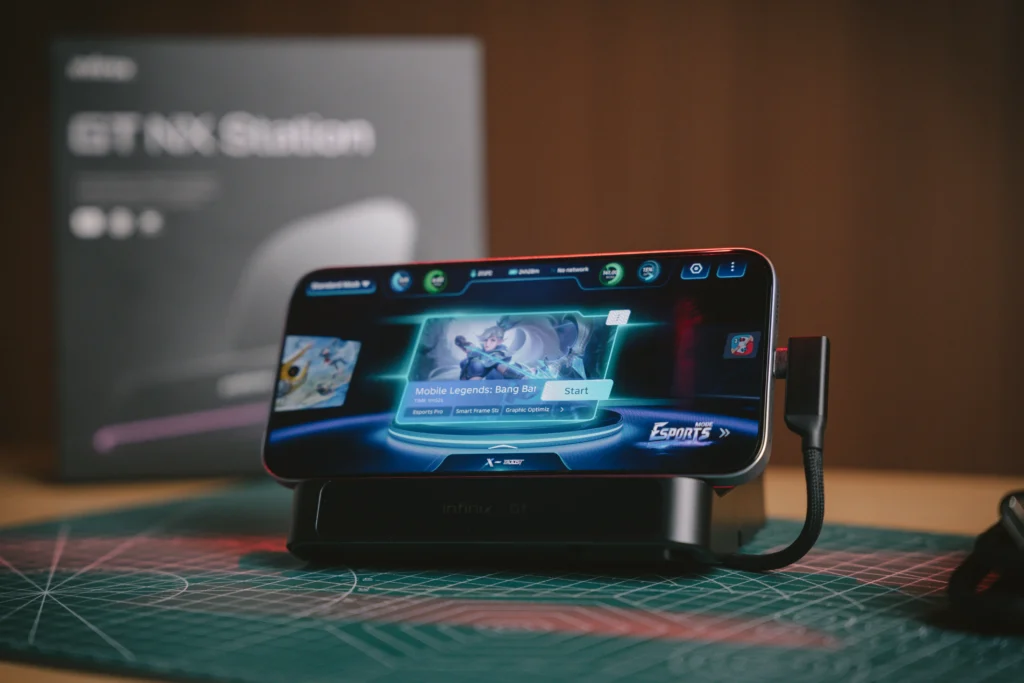
More than just a phone stand
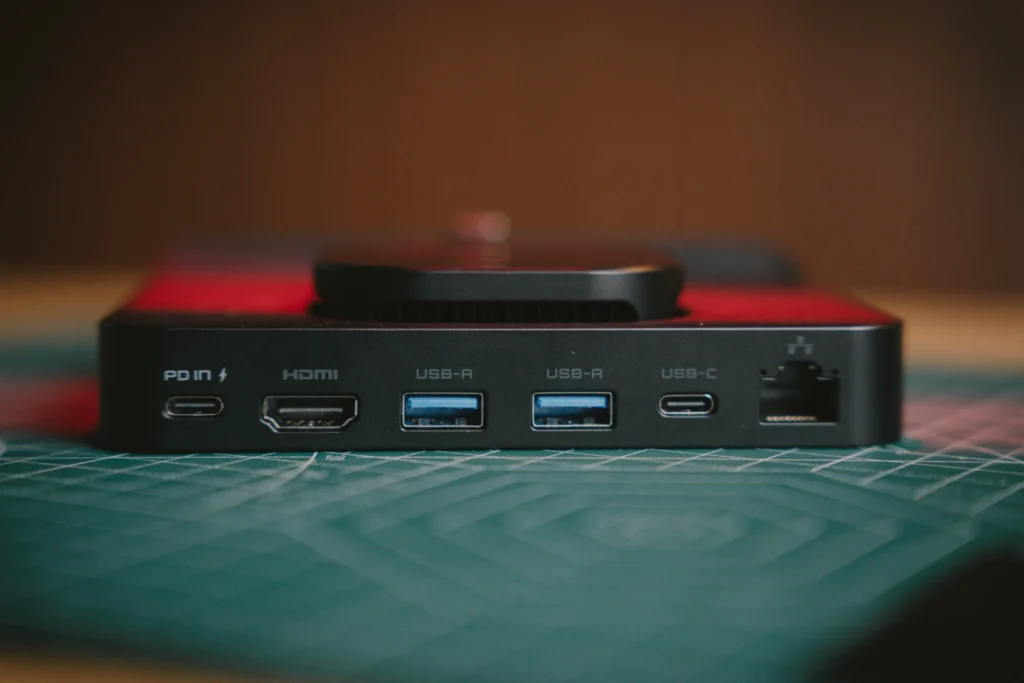
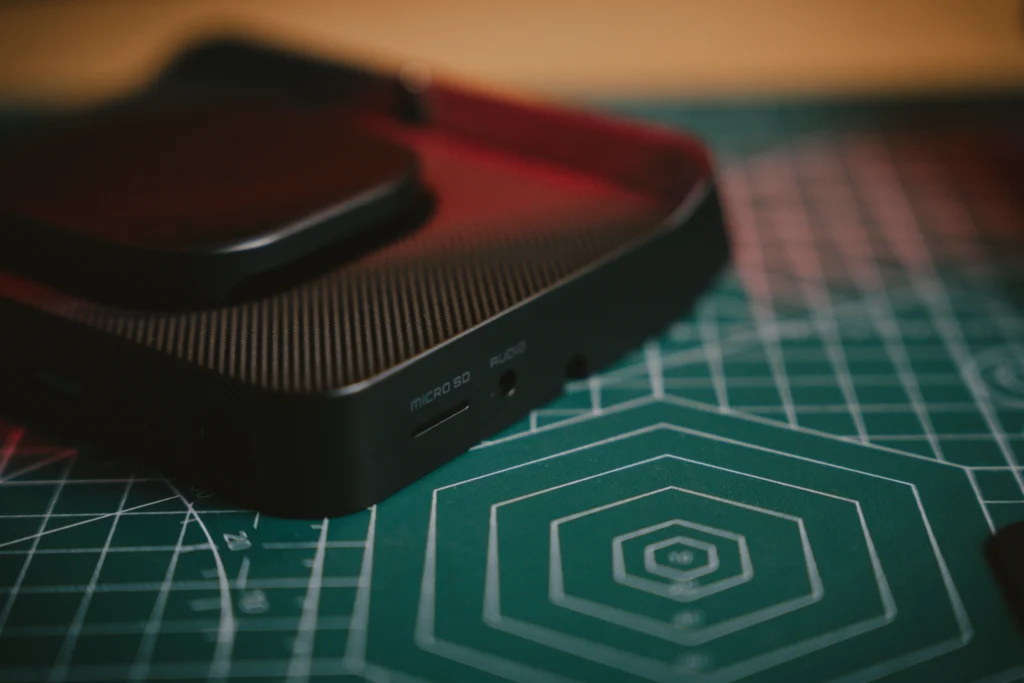
But more than that, the Infinix GT NX Station serves as a 9-in-1 expansion hub with an integrated cooling system, allowing you to do anywhere from charging, data transfer, wired Internet, and a lot more.
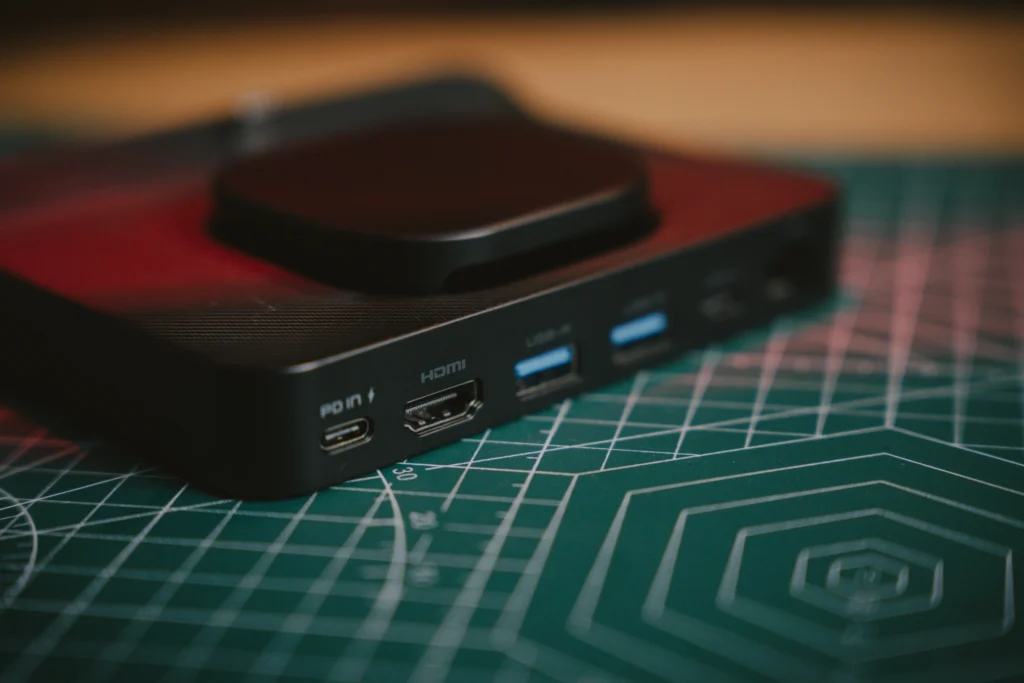
You can do all those things using the Infinix GT NX Station’s ports. These include: a PD IN for power, an HDMI port, two USB-A ports, a USB-C port for data transfer, an Ethernet port, a MicroSD slot, a 3.5mm headphone jack, and a built-in USB Type-C host cable neatly tucked underneath.
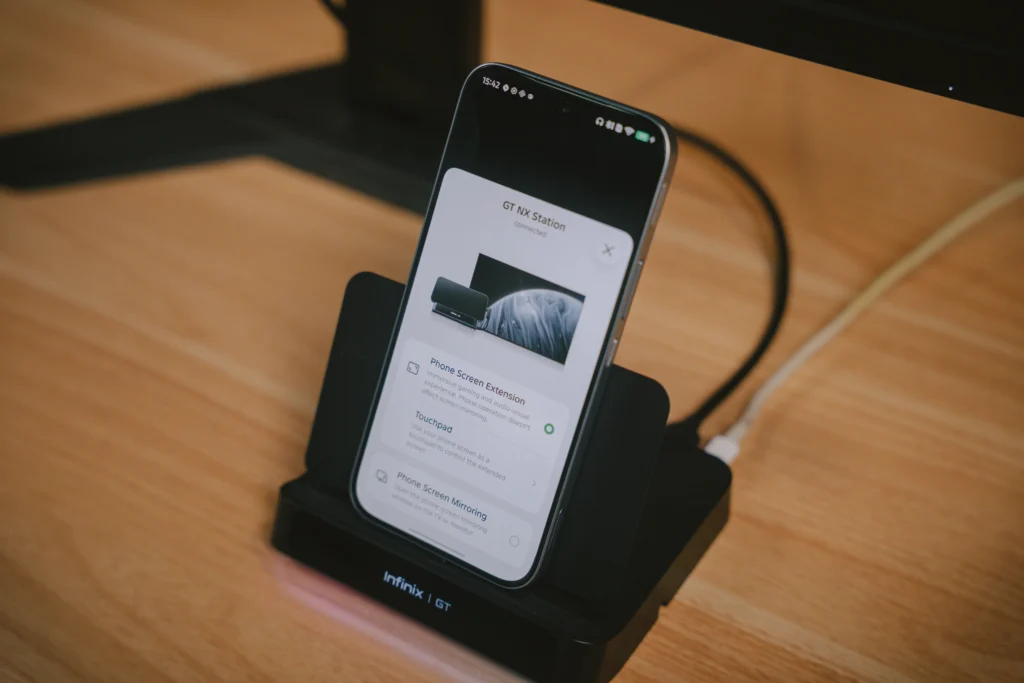
There’s two ways to set it up, one is screen mirroring, which displays whatever is happening on your phone and then there’s screen extension which creates a separate desktop environment.
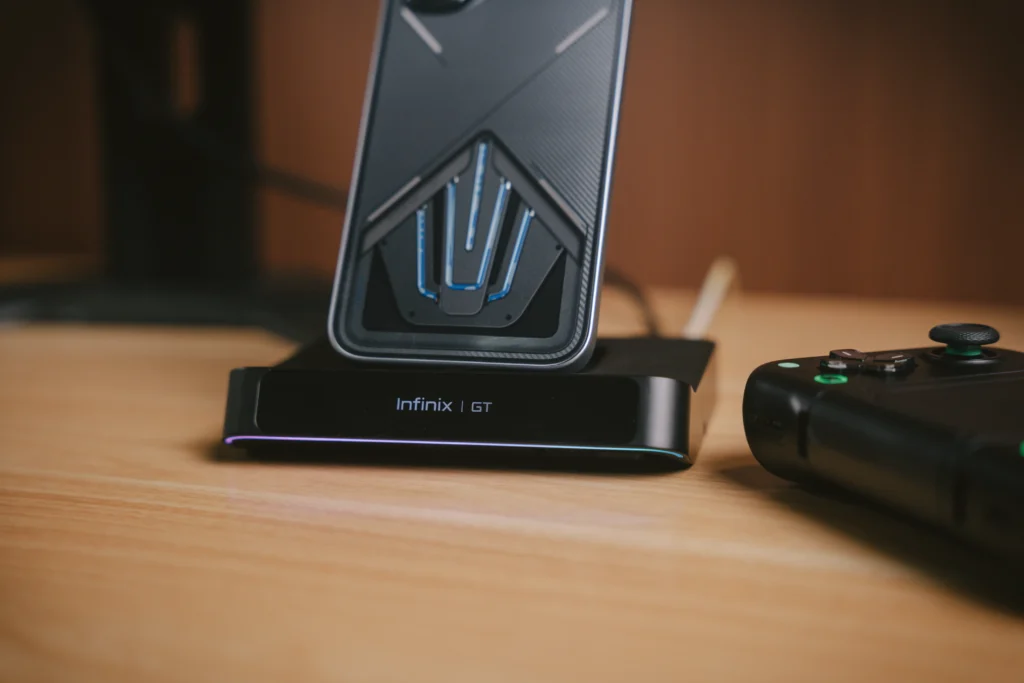
And lest we forget the 15W integrated TEC cooling system. TEC, of course, stands for thermoelectric cooling which uses the Peltier effect to move heat away from your phone.
All of that in a package that you can quickly fold up and store away or if you prefer leaving it on your desk, the RGB ambient lighting should give your desk setup the little extra flair that it needs.
The GT Verse
The GT NX Controller and GT NX Station themselves are impressive pieces of technology, but their power lies in their part in the larger GT Verse.
At the center of the GT Verse is the Infinix GT 50 Pro, which we reviewed a few months back. It was and still is one of the more unique smartphones that we’ve come across this year. That’s because for the price you’re paying, you’ll get its pressure-sensitive GT Triggers, Infinix’s 144 FPS Gaming Ecosystem, as well as a new HydroFlow Liquid Cooling system.
Then there’s the GT Buds 5, which features noise cancellation and Dolby Spatial Audio. Both of these combined makes for a more immersive listening experience, something that could prove useful in games like PUBG Mobile and Blood Strike where there better you hear, the better you can anticipate your opponent’s movements.
And last but certainly not the least, the Infinix GT Watch 5 Pro.
At first, you might be wondering, “what will a smartwatch do to improve my gaming experience?”
Well, unlike the GT Buds 5, GT NX Controller, and GT NX Station, the GT Watch 5 Pro isn’t exactly going to help you land any headshots. Instead, it helps you set aside any distractions and allows you to pour all your attention into the game you’re playing.
It connects via Bluetooth 5.2, and you can glance at all your notification using the GT Watch 5 Pro’s 1.53-inch 360 x 360-pixel display. Infinix claims it’ll last up to 21 days on a single charge. And for people that like to keep active, there’s also GNSS positioning and 5ATM water resistance.
Final Thoughts
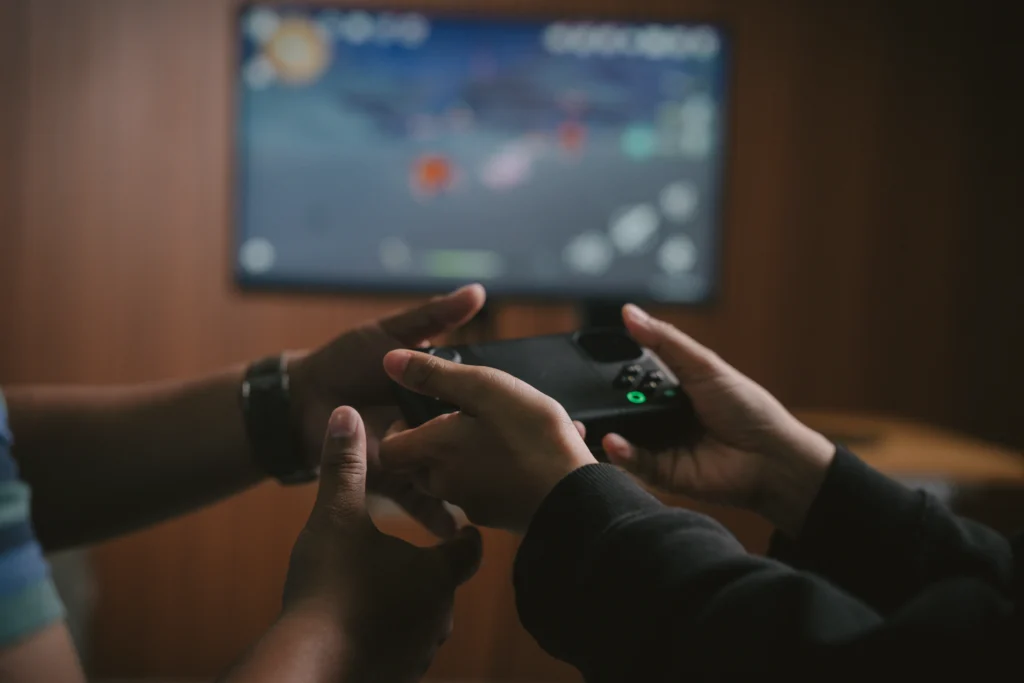
So, going back to our earlier question: will the GT NX Controller and GT NX Station be enough to solidify Infinix’s place in the mobile gaming pantheon?
The short answer is yes.
Think of it as Infinix getting the last two Infinity Stones to complete the Infinity Gauntlet. Each of those stones, or in this case, gadgets, serve a different purpose but combine them together and they unleash a different experience than the one you were used to.
Personally, I think most people would lean more to the GT NX Controller because it offers more than just being an add-on for the Infinix GT 50 Pro. It’s a sort of buy one get 4 more kind of deal, and I think most people will also see the value in that.

On the other hand, while the GT NX Station seems like an overkill for mobile gaming, I do highly recommend getting it if you game heavily on your phone. It’s a quality-of-life improvement that I didn’t see before, maybe because we didn’t have a GT NX Station before.
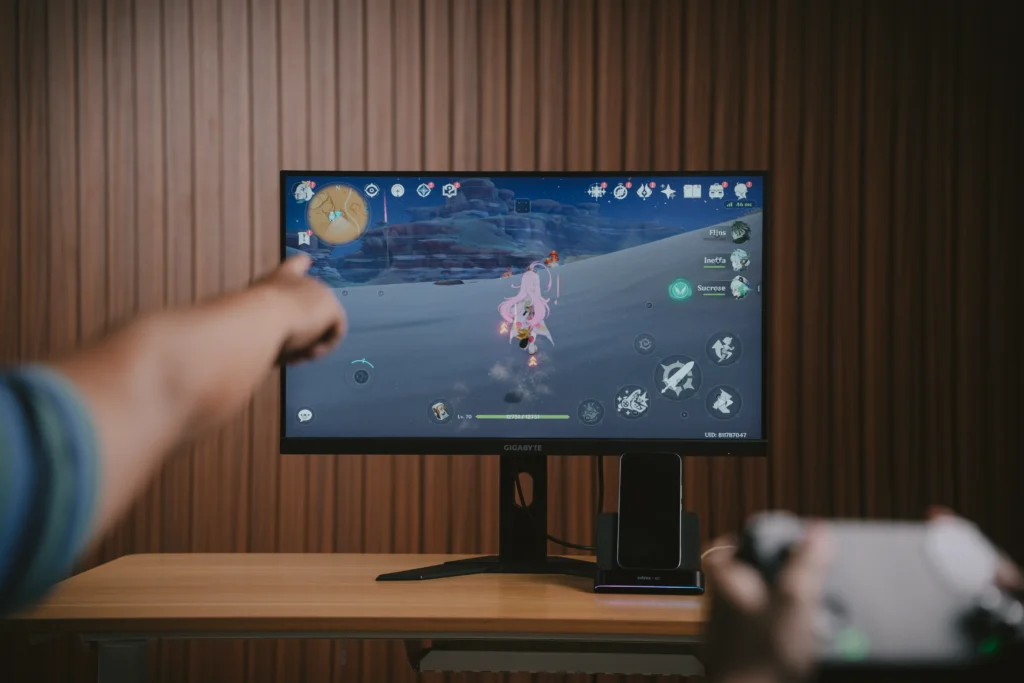
The only question is the price…
Pricing and Availability
Check out the pricing for the Infinix GT NX Controller, GT NX Station, and the rest of the GT Verse lineup below. We’ve also included the links so you can grab yours today.
| Product | Price | Platform |
|---|---|---|
| Infinix GT 50 Pro 12GB + 256GB | ₱29,999 | Shopee Lazada TikTok Shop |
| Infinix GT 50 Pro 12GB + 512GB | ₱34,999 | Shopee Lazada TikTok Shop |
| GT Buds 5 | ₱1,999 | Shopee Lazada TikTok Shop |
| GT Watch 5 Pro | ₱2,699 | Shopee Lazada TikTok Shop |
| GT NX Controller | Starts at ₱2,399 | Shopee Lazada TikTok Shop |
| GT NX Controller — Blood Strike Edition | Starts at ₱2,499 | |
| GT NX Station | Starts at ₱2,699 | Shopee Lazada TikTok Shop |