



Meta announced a wave of new features for Facebook Messenger, enhancing photo sharing, collaboration, and file transfer capabilities.
Sharper Snapshots:
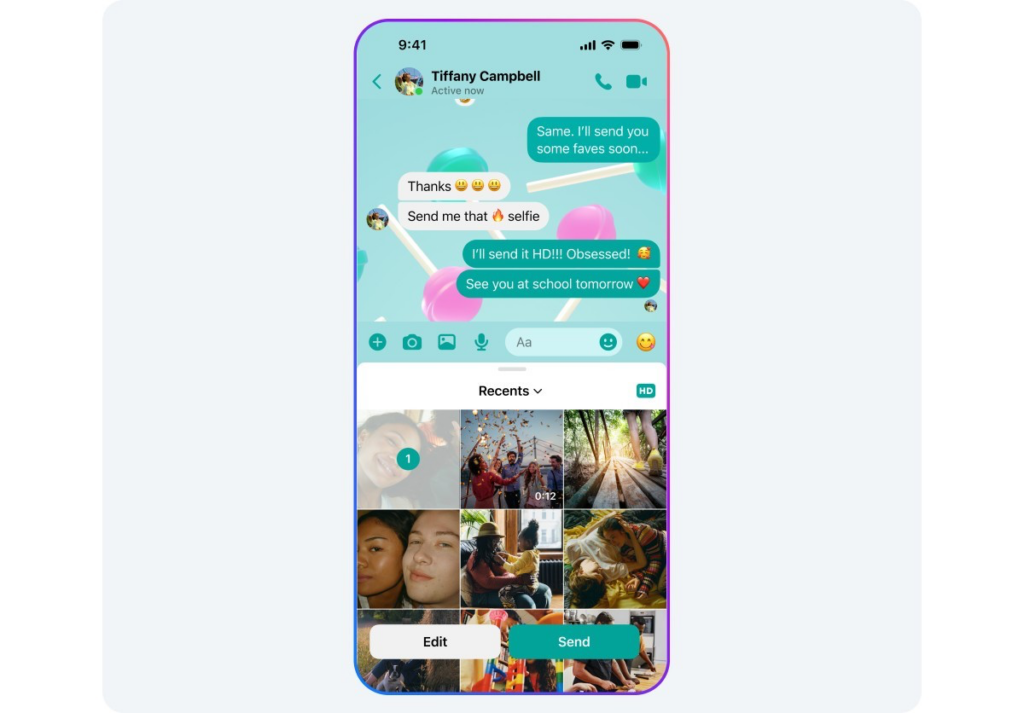
Say goodbye to blurry photo messages! Messenger now allows you to send “HD photos.” Simply select an image and toggle the new “HD” option before sending to ensure your photos arrive in crisp detail.
Shared Memories:
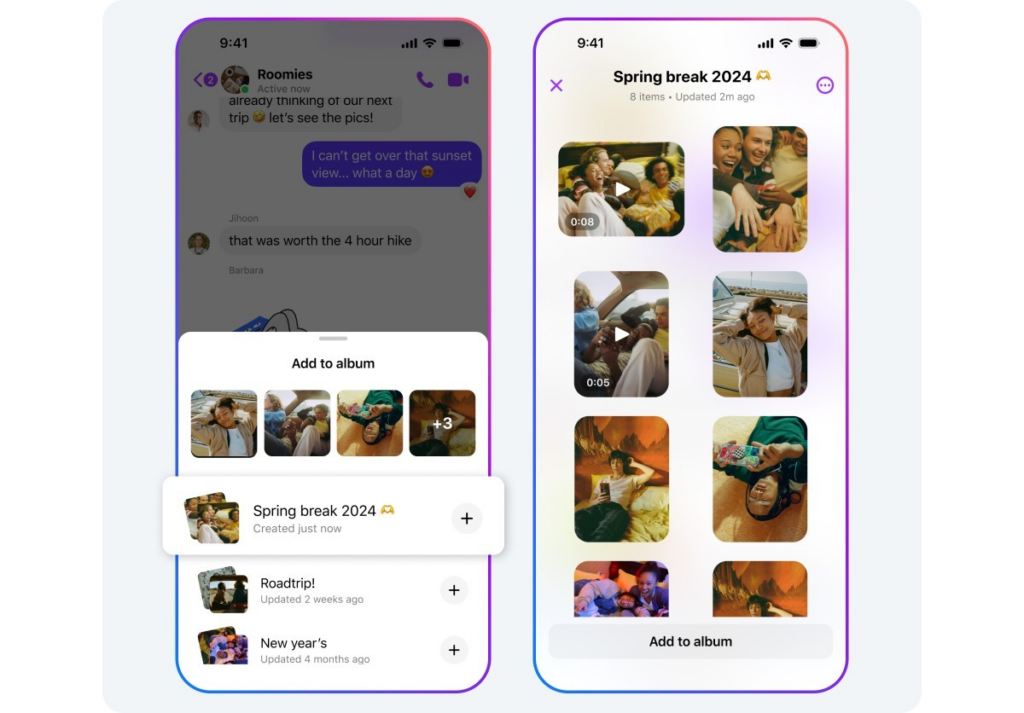
Create lasting memories with friends and family using shared albums. In a group chat, select photos or videos and tap “Create album” (or long press a photo and choose “Create album”). You can also add photos and videos to existing albums and even rename them for better organization. Everyone in the group chat can view, add, delete, and download content within the shared album. Access shared albums by tapping the group chat name, then “Media.” This feature will be rolling out soon.
Scan and Connect:
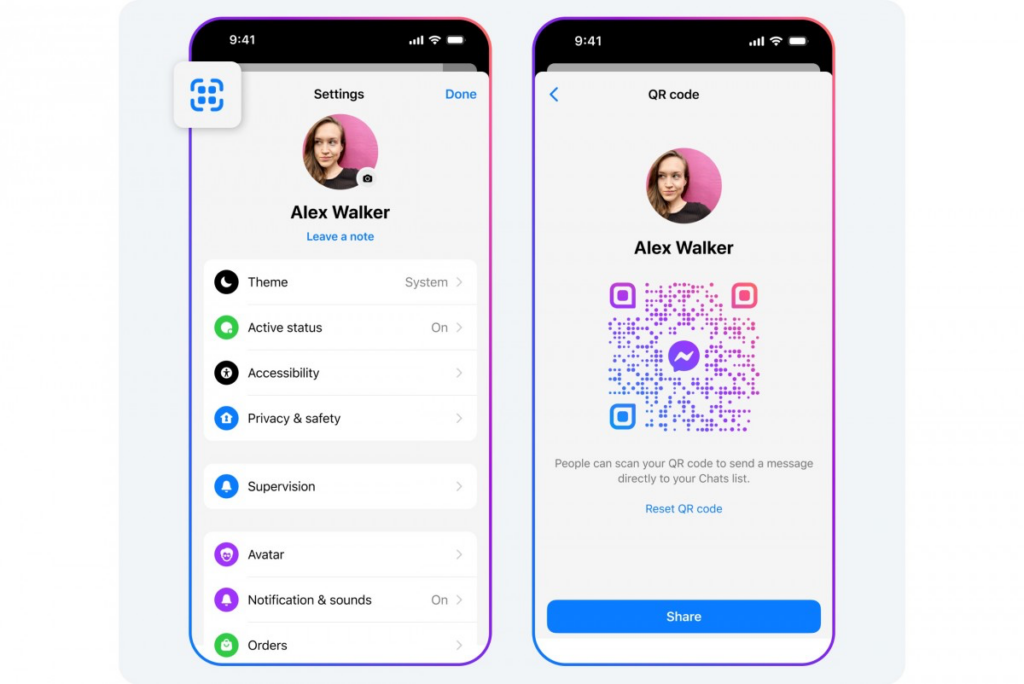
Adding contacts is now easier with QR codes. Each Messenger user has a unique QR code. Simply scan someone’s code to add them or share your own code via a link.
Bigger Files, Bigger Convenience:
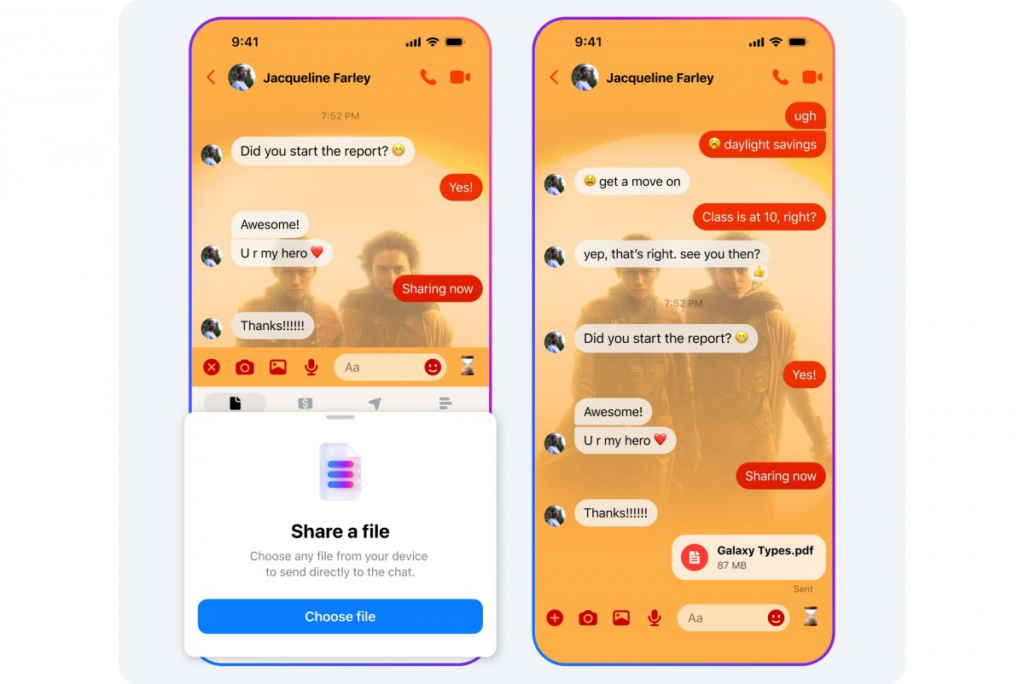
Messenger has finally addressed the long-requested file size limit increase. You can now send files up to 100MB, supporting major formats like Word, PDF, Excel, and zip files. This update eliminates a previous pain point and allows for more seamless file sharing.
These updates demonstrate Meta’s commitment to improving the Messenger experience and catering to user needs.